Atomic Bird goes Purple
Disclaimer: This post contains my personal notes and methodology for the respective TryHackMe room. All the credits for the room and the lab environment go to the original creators at TryHackMe. Flags are not revealed to preserve the challenge for others.
Objective
Time to simulate hunting and detecting activities to sharpen your purple teaming skills.
The room provides custom atomic tests to help grasp Purple Team exercises.
Additionally, we will use Aurora EDR and Sysmon to increase visibility of the tests, and to enrich the logs. As part of the Purple Team, we must execute the atomic tests, and follow it up with log, directory and registry investigation.
Provided Toolset
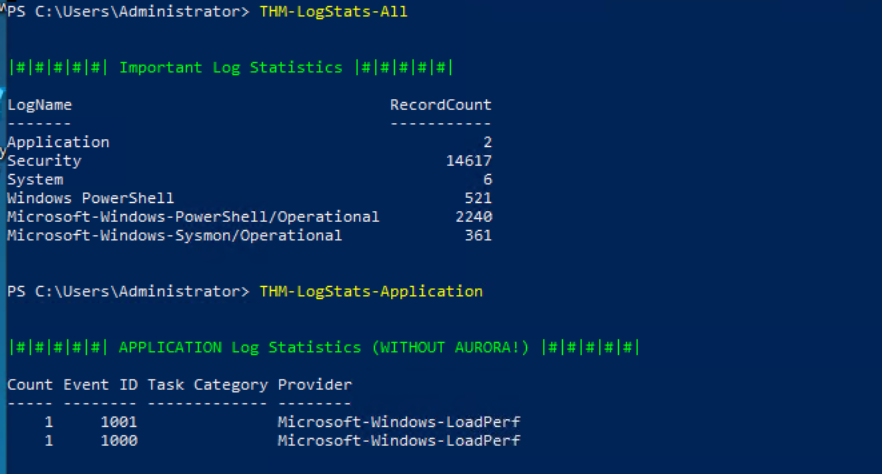
We are given custom commands such as THM-LogClear-All and THM-LogStats-Application, THM-LogStats-Aurora to easily view the logs.
Execute and Detect
- T1082 System Information Discovery
- T1056.002 Input Capture: GUI Input Capture
Tests to Execute:
- T0004-{1,2,3}
T0004-1: Initial Enumeration Emulation
Creates a file on the desktop listing important details of the machine, such as hostname, OS name, OS build info, system type etc.
T0004-2: Credential Prompt Emulation
We get a prompt on the screen that asks for a username and password.
T0004-3: Failed Command Emulation
A command fails. Find it in the logs.
- T1091 Replication Through Removable Media
- File Manipulation action on shared drives/files.
Tests to Execute:
- T0005-1: Universal Suspicious Share
T0005-1: Universal Suspicious Share
There is a shared directory set as S:. Within it, many files.
The given atomic test performs suspicious actions on that shared directory. For a given file, we can see that its hash value is changed.
- T1115 Clipboard Data
- Storing command line history and hijacking system files for multiple aims.
Tests to execute:
- T0006-{1,2}
T0006-1: History Dump
The given atomic test dumps the command line history in a file. The details are not provided, but we can probably find the file using sysmon.
When that didn’t work unfortunately, manually searching through Windows Security Logs helped, when filtering for Event ID 4663.
T0006-2: SystemFile modification for exfiltration
Same as before, keeping an eye on security logs helped, with Event ID 4663. We find that the atomic test messed with an hosts file, creating an entry there, for exfiltration purposes.
- T1552.001 Unsecured Credentials: Credentials in Files
- T1078.003 Valid Accounts: Local Accounts
Tests to Execute:
- T0002-1: Search cleartext credentials
- T0002-2: Create clone/decoy account
T0002-1: Search Cleartext Credentials
The given atomic test finds files with default credentials. Powershell library file YamlDotNet.xml is found.
We must update the atomic script to include .bak files which can be done easily. To find the atomics script path, run Invoke-AtomicTest T0002-1 -ShowDetails.
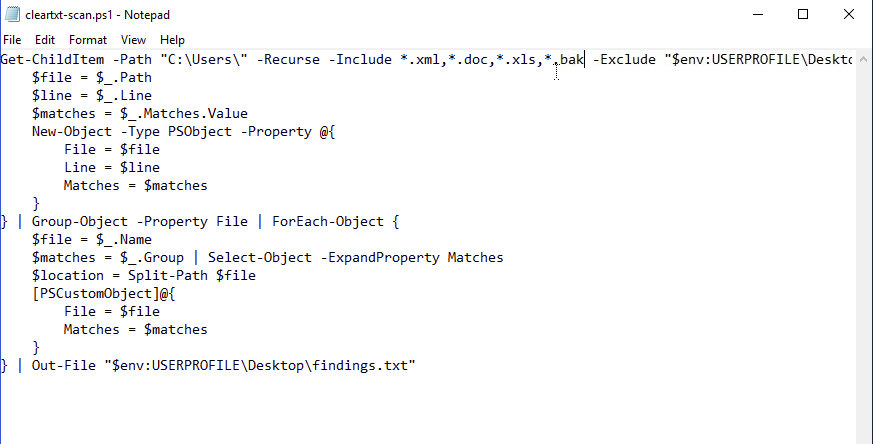
Then run the cleanup command (with flag -CleanUp) before running the test again, to find some secrets.
T0002-2: Create local decoy accounts
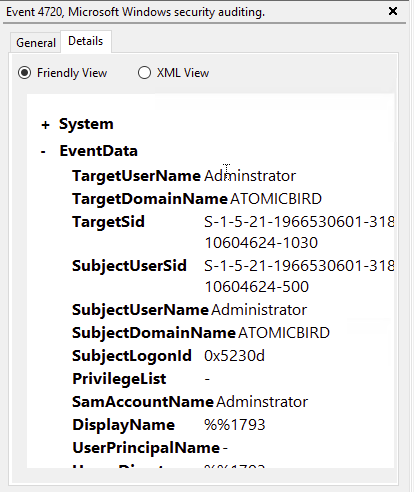
Event ID 4720, in Windows Security logs, is created whenever a new user account is created.
We see that a decoy account is created, with a name very similar to an account that exists on every windows machine.
- T1491 Internal Defacement
- T1112 Modify Registry
- T1543.003 Create or Modify System Process: Windows Service
- T1012 Query Registry
Tests to Execute:
- T0003-{1,2,3,4}
T0003-1: Internal Service Creation
Windows Security Event ID 4697 to monitor. Unfortunately, I do not find anything here. But, perhaps in Sysmon. Event ID 13, we do get the service created, because the registry key for it was set.
T0003-2: Defacement with registry
Value set, with a ransom note (which is a flag we need). Check for sysmon event id 13 again.
T0003-3: File changes like a ransom
We need to check out windows event ID 4663 again for this.
T0003-4: Planting reverse shell command in the registry
Searching for Sysmon Event ID 13, we don’t see any changes. But, perhaps we can find something with sysmon event ID 1, which is process creation. And we do find that, reg.exe is executed, with a specific value which is a reverse shell connecting to a malicious domain and port number.