Incident Response - Preparation
Disclaimer: This post contains my personal notes and methodology for the respective TryHackMe room. All the credits for the room and the lab environment go to the original creators at TryHackMe. Flags are not revealed to preserve the challenge for others.
Objective
A look into the Preparation phase of the Incident Response.
This room covers preparing for security incidents and configuring logging to gather artefacts and additional evidence effectively before a security incident.
Incident response, also known as incident handling, is a cyber security function that uses various methodologies, tools and techniques to detect and manage adversarial attacks while minimizing impact, recovery time and total operating costs. Addressing attacks requires containing malware infections, identifying and remediating vulnerabilities, as well as sourcing, managing, and deploying technical and non-technical personnel.
We need to differentiate between an event and an incident. An incident must be well defined, to fit a clear scope.
- Event: Observed occurrence within a system or network.
- Incident: Violation of security policies by an adversary, which negatively affects the organization.
As an overview, here are the main steps of the Incident Response process (PIACER)
- Preparation
- Identification
- Analysis
- Containment
- Eradication
- Recovery and Lessons learned
A consistent methodology is extremely beneficial. Incident Response is a time-critical field, and proper documentation and steps for each and every situation, can make all the difference. The information gathered during the incident response itself, might be beneficial against future attacks. This is why it is important to have a good Incident Response Plan (IRP).
An Incident Response Plan (IRP) is a document that outlines the steps an organization will take to respond to an incident. An IRP should comprehensively cover all aspects of the incident response process, roles, responsibilities, communication channels, metrics etc.
For the purpose of IRPs, playbooks are used. They provide the actions and procedures to identify, contain, eradicate, recover and track successful incident mitigation measures.
The main purpose of Preparation phase, is to ensure the team and the organization are ready to handle and recover from incidents.
A Cyber Security Incident Response Team (CSIRT) must be created for your organization. Includes business, technical and legal experts, to act upon decisions during a cyber attack.
Moreover, the people in the organization must be trained adequately. This can be done through conducting social engineering campaigns, providing current affairs, technical awareness etc.
Incident handlers must be familiar with forensic imaging tools, reading logs, performing analysis using honeypots and vulnerable systems.
Documentation
Incident documentation could be a lifesaver. This could serve as evidence and knowledge for the future. Proper note-taking and detail oriented skills are required.
For preparation phase, clear policies must be defined, that are visible to employees, stakeholders, users. Regularly reviewed by legal teams, ensuring it aligns with privacy laws and regulations.
Accompanying the policies would be a communication plan outlining who within the CSIRT would be the point of contact during an incident. The people who receive reports, or the people that are always on-call etc.
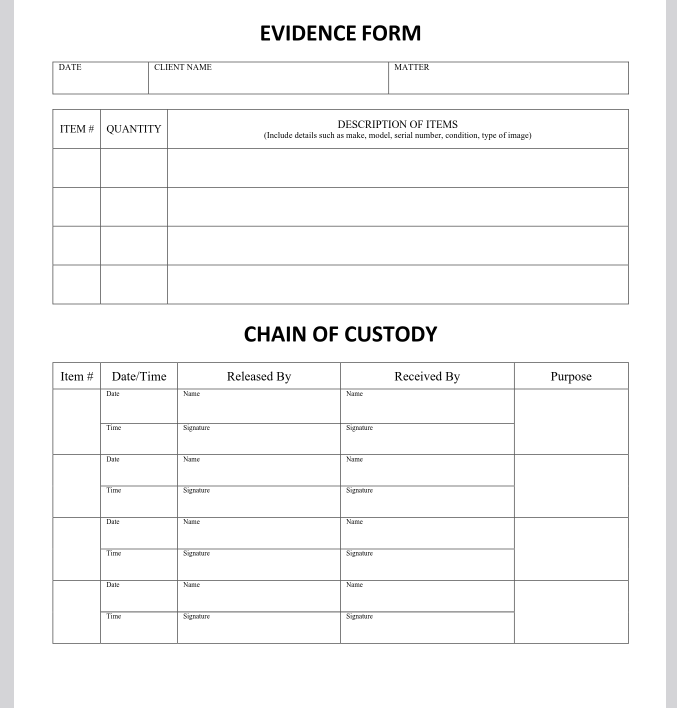
The CSIRT should additionally manage the Chain of Custody, ensuring they note down the flow of information, handling evidences and reporting.
Below is a sample chain of custody document template.
Asset Inventory and Telemetry
Knowing your technical infrastructure is essential to the incident response process. Knowing which assets even exist in your organization, and why systems need to be protected, or contained is key. Especially high value assets. And that must be done beforehand, proactively. Protecting high value assets ensures protecting the CIA triad of organizations’ services, data and processes.
It is important to have both hardware and software inventory lists. For hardware, like endpoints or network devices, all information that’s required must be notes down. The technical specifications, unique device IDs, the IP address within the network, operating systems running, even services runnings, accounts configured and so on. The more insight, the better, but properly organized.
Once the inventory is taken care of, it’s telemetry. Regular mapping of the network is important. Sensor-based detection mechanisms, Endpoint Detection and Response, Data Loss Prevention, IDS and IPS, log collection etc. Proper network segmentation is also important.
Technical Capabilities
To conduct investigations, the incident responders must understand the scripts and tools executed within endpoints, and must have technical capabilities to facilitate containment, analysis and eradication.
They should collect forensic evidence using disk and memory imaging tools, secure storage only accessible to CSIRT, and use tools like sandboxes.
A jump bag contains all tools required for incident response. These may include, but not limited to :
- Media drives
- Disk and memory imaging software
- FTK imager, Encase, the Sleuth kit
- Network taps to monitor network traffic
- Cables, card readers, adapters
- PC repair kits
- Copies of IR forms and playbooks
Visibility
Visibility covers collecting audit and logs data, monitoring threat intelligence feeds on emerging adversarial tactics, techniques, and procedures (TTPs) and ingesting vendor patch advisories.
- Internal visibility revolves around log management.
- External visibility revolves around what’s happening in the threat landscape.
Security Information and Event Management, or SIEM, provides a central location for storing and interacting with logs, collected across all devices of various types that are part of an organization.
Common types of log entries, broadly speaking, include:
- Event: Information about a system or network occurence.
- Audit: Covers who performed an action, what activity was intiated and how the system responded. Two classes of audit logs: Success and Failure.
- Error: When a problem occurs within a system or network.
- Debug: Logs generated during testing, helpful when something needs to be diagnosed to know what went wrong.
Log sources, broadly speaking, include:
- Network logs, from routers, firewalls, switches.
- System logs, from endpoints such as computers, laptops, mobile devices.
- Application logs
Setting up visibility
To accurately collect log information, the CSIRT has to develop procedures and plans, including policies, within a system. On Windows, this is done via local or group policy management.
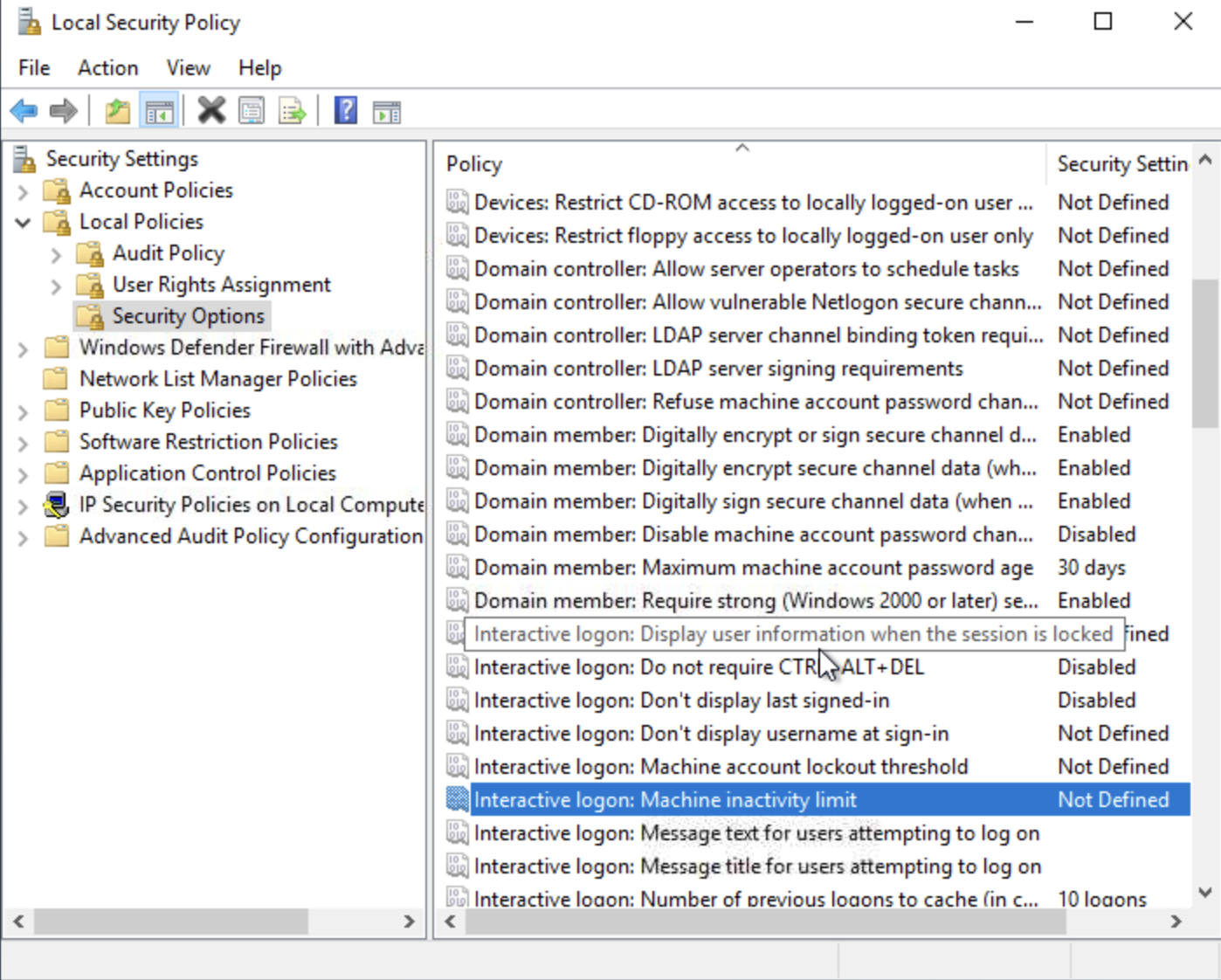
Let’s go through an example to set a policy for Interactive Logons: Display user information when sessions is locked. For sensitive systems, a policy like this should be disabled, to avoid leakage of information that could be useful to a malicious entity. We set it to Do not display information.
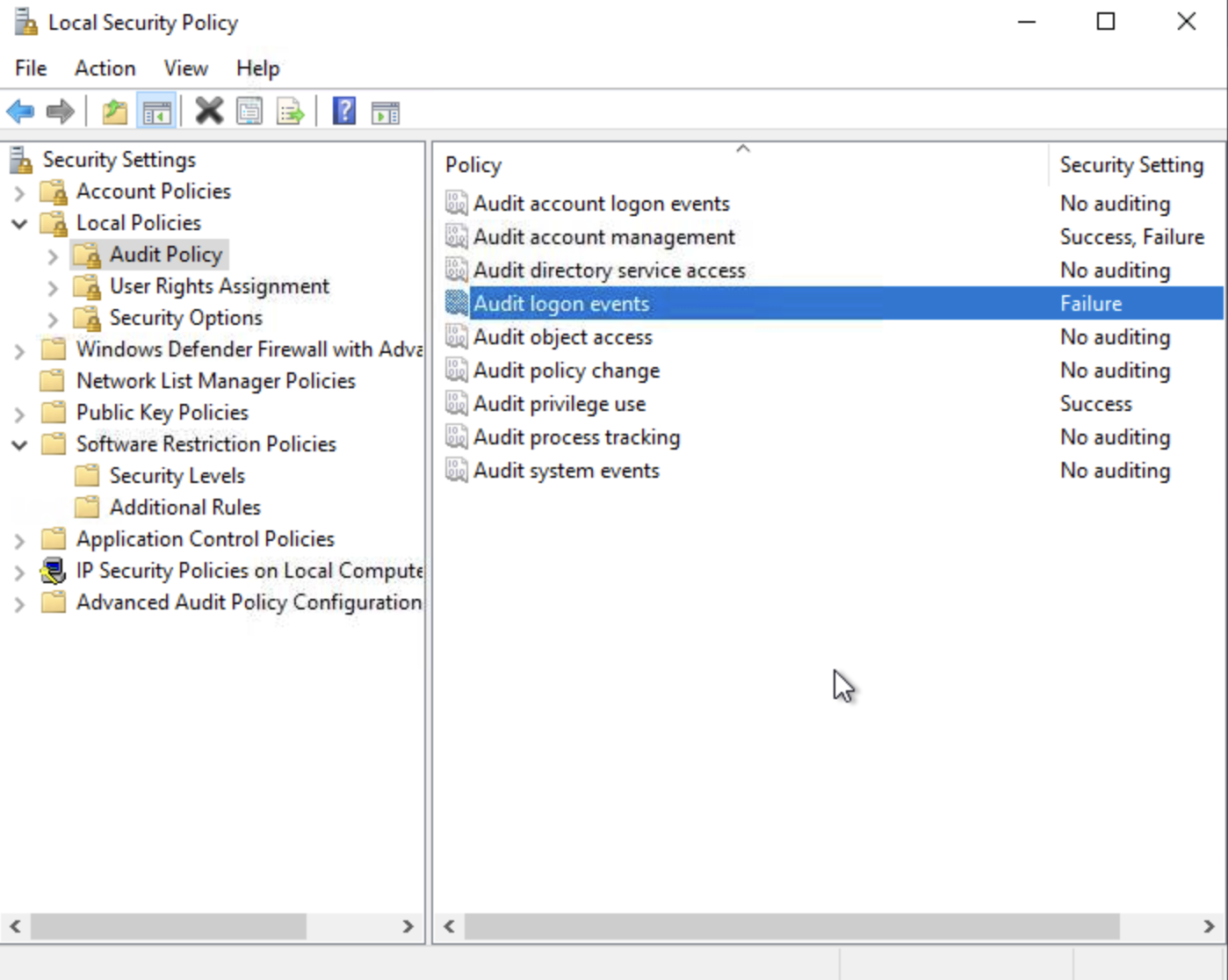
Another example to demonstrate policies, we find that “Audit Logon” policy under Local Policy -> Audit Policy, is set to Failure. This means, a log is generated when a user fails to logon to the system. Successful logons are not logged.
With our current scenario, we find out that event logging for network system have been disabled. This is not good, and we must enable them. Opening Event Viewer gives the error Event Log service is unavailable. Verify that the service is running.
We have to navigate to Registry Editor -> HKEY_LOCAL_MACHINE\SYSTEM\CurrentControlSet\Services\EventLog\start. This value is set to 4, and needs to be set to 2, which represents automatic startup mode. We have to reboot the machine after making the changes.
We then find event viewer to be functioning, and we can perform some events to see if they get logged.
A good guide/framework for incident response is NIST’s 800-61 Revision 2: Computer Security Incident Handling Guide (80 pages).